
Smart Watch App
com.thdmppedsssaffty.app
50+
تثبيت · ≈87
—
0 تقييم
2026-10-06
أول إصدار
2026-10-06
آخر تحديث



الوصف
Connect compatible smart watches with easy pairing and reconnection.
Smart Watch App
Smart Watch App is an Android companion utility for connecting compatible smartwatches and wearable devices with your smartphone. Use the app to discover supported watches, establish a Bluetooth connection, check available connection information, and reconnect your wearable when needed.
Whether you are pairing a new smartwatch or restoring a connection to a previously connected device, the app provides a simple way to manage supported wearable connectivity.
Connect Your Smart Watch
Start by powering on your compatible smartwatch and enabling Bluetooth on your Android phone. Keep the watch nearby while the app searches for supported wearable devices.
After your watch is detected, use the available pairing process to establish the connection.
Depending on your device, supported functions may include:
Smartwatch device discovery
Bluetooth pairing
Connection status
Wearable reconnection
Supported device information
Basic connection management
Easy Bluetooth Pairing
Pair your compatible watch with your Android phone through a straightforward Bluetooth connection process.
The app is designed to make initial setup simple while also providing a convenient way to reconnect your wearable after Bluetooth has been interrupted.
Bluetooth range, connection stability, and discovery can vary depending on your phone, smartwatch firmware, surrounding wireless interference, and device settings.
Manage Your Wearable Connection
Keep your supported smartwatch connection accessible from one place. Check the available device connection and use the supported reconnect options when your watch becomes disconnected.
The available functions depend on the connected wearable and the Bluetooth capabilities of your Android device.
Smartwatch Setup
For first-time pairing:
Turn on your compatible smartwatch.
Enable Bluetooth on your Android phone.
Keep the watch close to your phone.
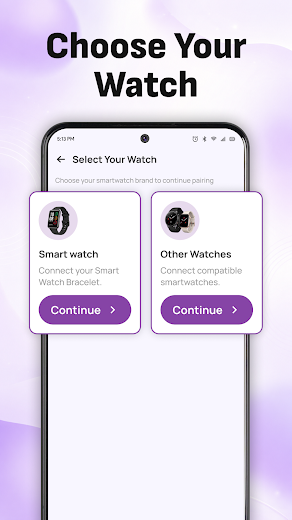
Open the app and search for available devices.
Select your supported smartwatch.
Complete the available Bluetooth pairing process.
Once paired, keep Bluetooth enabled for continued connectivity.
Reconnect Your Watch
If your smartwatch becomes disconnected, the app can provide a convenient way to attempt reconnection. Make sure the watch is powered on and within Bluetooth range before starting the connection process.
If the device is not detected, restarting Bluetooth or the smartwatch may help.
Key Features
Connect compatible smartwatches
Bluetooth smartwatch pairing
Discover supported wearable devices
Check available connection status
Reconnect compatible watches
Simple wearable setup
Convenient Bluetooth connection management
Lightweight Android interface
Easy-to-use pairing workflow
Designed for supported wearable devices
Connection Tips
If your watch is already connected to another phone, disconnect it from that device before attempting a new pairing.
Compatibility
Smart Watch App is intended for compatible smartwatches and wearable devices. Actual functionality may vary depending on the specific watch model, firmware, Android version, Bluetooth hardware, permissions, and phone manufacturer.
Not every wearable supports identical connection functions.
Important Information
This application focuses on supported smartwatch connectivity and does not replace the firmware or manufacturer-specific services of your wearable.
Available features are limited to the capabilities exposed by the compatible smartwatch and Android device.
Disclaimer
Smart Watch App is an independent third-party utility and is not affiliated with, associated with, authorized by, endorsed by, or officially connected with any smartwatch manufacturer.
All related product names and trademarks are the property of their respective owners and are used solely for identification and compatibility purposes.
التفاصيل
| الإصدار | 1.0.2 |
|---|---|
| الحد الأدنى لإصدار Android | 7.0 |
| المراجعات | 0 |
| موقع المطوّر | cas.ai |
| متاح في | في أنحاء العالم (241) |
| جهات اتصال المطوّرين | في خطة Business |
| تم جمعها | 2026-10-31 |
هذه البيانات في API
يكلّف السجل الكامل بصيغة JSON توكنًا واحدًا.
curl -H "X-API-Key: YOUR_KEY" \
  "https://apkapi.com/api/v1/app?id=com.thdmppedsssaffty.app"
